
Remote support built for MSPs.
Support, maintain and patch customer environments without paying separately for every endpoint you manage.
RemoteViewer gives managed service providers attended and unattended remote support, Patch Management and remote administration tools across supported customer environments, with browser, desktop and mobile technician access.
Support more customers without licensing every device.
|
Unlimited Devices
Add the customer endpoints you need to support without paying a separate licence for each device. |
Attended Support
Connect to customers while they are present and provide real-time remote assistance. |
Unattended Access
Reach authorised managed devices when no customer is present for maintenance and ongoing support. |
|
Patch Management
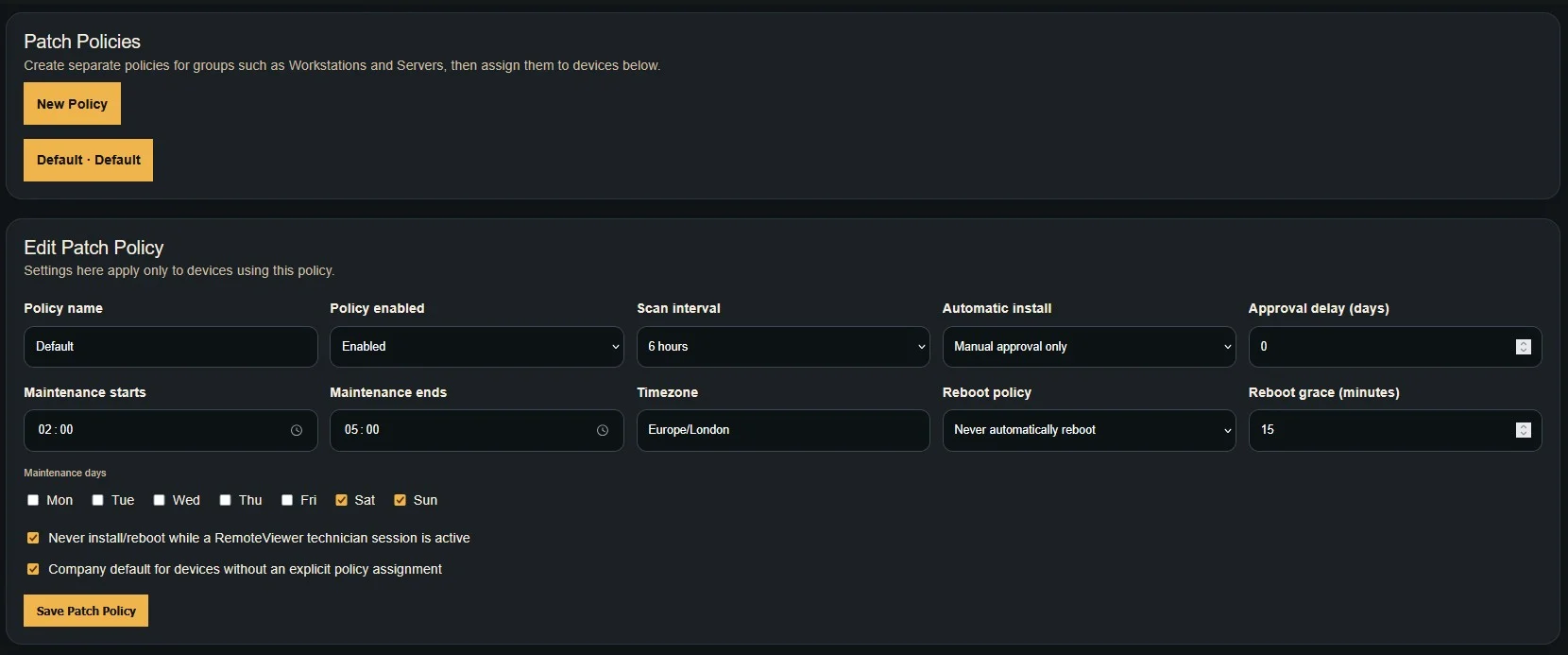
Create patch policies, review available updates and manage supported update deployment across customer devices. |
Multi-Platform Support
Support mixed customer estates across Windows, macOS, Linux, iOS and Android. |
Session-Based Pricing
Choose your RemoteViewer plan around the number of simultaneous technician sessions your team needs. |
Everything your technicians need for day-to-day support.
RemoteViewer combines remote access, Patch Management, remote administration and customer support tools in one technician workflow.
|
Remote Desktop Control
View and control supported customer desktops using technician keyboard and mouse input. |
File Operations
Upload, download, move, rename and delete files on supported customer systems. |
Remote Commands
Run supported administrative commands without interrupting the technician workflow. |
|
Session Chat
Communicate with supported users while an active remote support session is in progress. |
Lock & Reboot
Perform supported lock and reboot actions when administering managed customer systems. |
Login-Screen Support
Access supported desktop login screens so technicians can continue assisting users where supported. |
|
PATCH MANAGEMENT FOR MSPs
Move from reactive support to proactive maintenance.
|
|
Built for mixed customer environments.
Your customers will rarely standardise on one operating system. RemoteViewer gives your technicians one support service across supported desktop and mobile platforms.
|
Windows Full supported desktop remote access and administration. |
macOS Remote support for compatible Mac desktops and managed devices. |
Linux Support compatible Linux desktops and managed headless systems. |
iOS Supported iPhone and iPad screen viewing. |
Android Supported Android screen viewing and compatible remote control. |
Let technicians work from wherever they are.
RemoteViewer gives MSP technicians multiple ways to access customer systems depending on the job and where they are working.
|
Desktop Dedicated technician applications for supported desktop operating systems. |
Browser Launch supported remote support sessions from a compatible web browser. |
Mobile Access supported sessions from compatible phones and tablets while away from your desk. |
Scale your customer base, not your endpoint bill.
RemoteViewer is designed so your plan is driven by the simultaneous technician sessions your business needs rather than the total number of customer devices under management.
Built around real MSP workflows.
|
Help Desk Support Provide attended support to customers who need immediate remote assistance. |
Managed Maintenance Use unattended access and Patch Management to maintain authorised customer systems, manage supported updates and perform routine administration. |
Multi-Customer Operations Support and maintain customer systems across different environments from one RemoteViewer platform. |
Unlimited devices. Pay for the sessions your team needs.
Start small and move up as your MSP needs more simultaneous technician connections. Your endpoint count does not determine your RemoteViewer plan.
RemoteViewer also brings Patch Management into the same platform, helping your technicians combine reactive support with ongoing endpoint maintenance.
If your MSP is comparing RemoteViewer with TeamViewer, see our dedicated comparison covering device models, concurrent support capacity, attended and unattended access and supported platforms.
Give your MSP room to grow.
Support customers when something goes wrong and maintain their managed devices before it does.
Start your 7-day free trial and see how RemoteViewer fits into your managed support workflow.