
Patch management built into remote support.
Keep managed devices updated without adding another disconnected management tool.
See available updates, review patch status and deploy supported updates across managed devices from RemoteViewer — then connect remotely when a device needs hands-on attention.
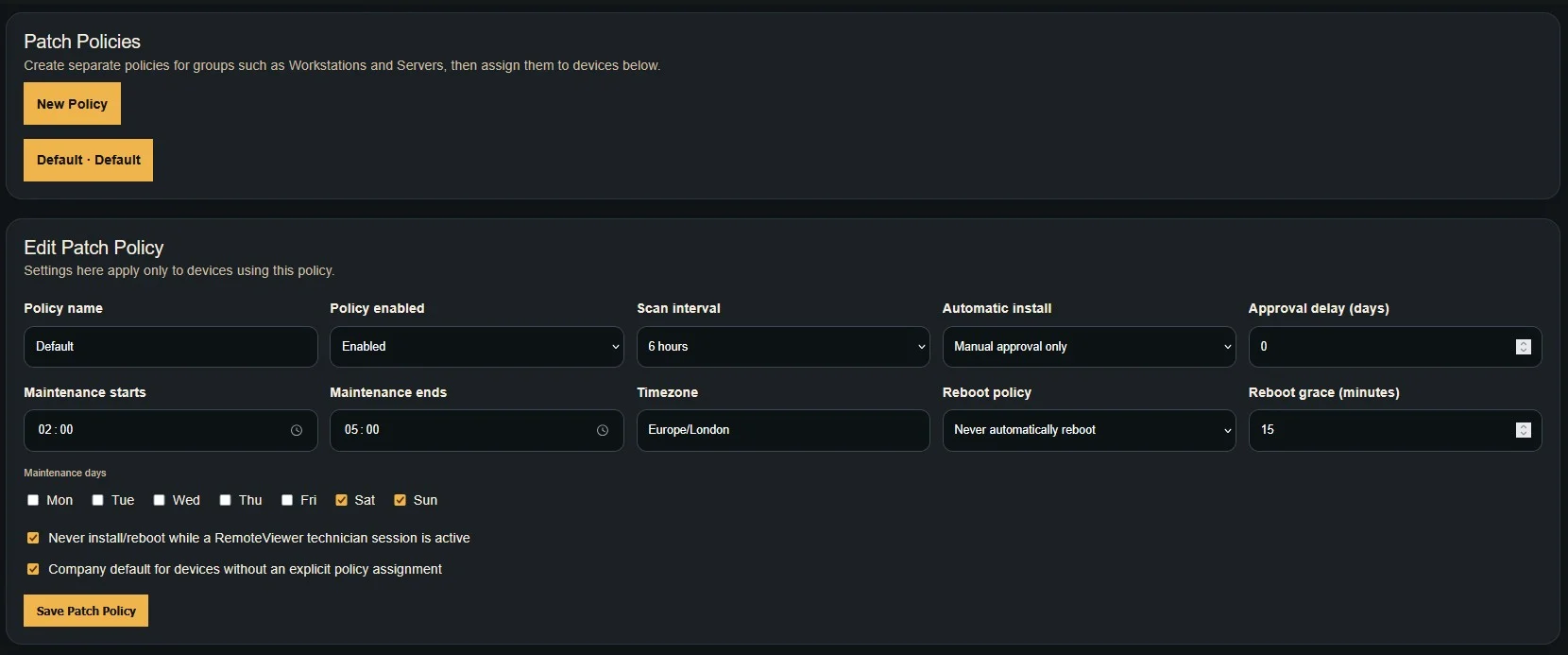
See what needs attention before it becomes a support problem.
Patch Management gives technicians visibility of updates across managed devices and a straightforward way to take action.
Patch Visibility
Identify available updates on supported managed devices and quickly see which endpoints need attention.
Review Updates
Review the updates reported by managed devices before deciding which patching action should be taken.
Remote Deployment
Deploy supported updates remotely without needing to physically visit the device.
Check. Review. Patch.
Keep endpoint maintenance straightforward from the same environment your technicians already use for remote support.
Check Managed Devices
RemoteViewer gathers patch information from supported managed endpoints so technicians can identify devices requiring attention.
Review Available Updates
Inspect updates reported for the device and decide which patching action is appropriate.
Deploy the Patch
Start supported updates remotely while keeping the device within the RemoteViewer management workflow.
Patch the device. Support the device.
Patch management works alongside the tools your technicians already use to manage, maintain and troubleshoot endpoints.
Patch management for teams responsible for the endpoint.
Whether you're looking after customer computers or your own organisation, RemoteViewer keeps maintenance and support together.
Maintain Customer Devices
Review patch status across supported customer endpoints and take action without relying on users to manage every update.
Add Proactive Maintenance
Move beyond reactive remote support by finding update requirements before they become another support ticket.
Maintain Company Devices
Give your IT team one environment for supporting managed endpoints and keeping required updates under control.
When patching needs more than an install button.
Updates do not always go perfectly. A device may need investigation, a configuration change or direct technician intervention.
Because Patch Management sits alongside RemoteViewer's remote support tools, your technician can move directly from endpoint maintenance into troubleshooting when required.
Identify an update requirement, deploy the supported patch, then use RemoteViewer's remote access capabilities if that endpoint needs further technician attention.
Built around the devices your team manages.
RemoteViewer is designed for businesses that need to manage and support growing numbers of devices without turning their remote support workflow into a collection of disconnected tools.
Review our current plans to see the RemoteViewer features and technician capacity available for your organisation.
Give technicians fewer systems to move between when maintaining, updating and supporting managed devices.
Patch Management FAQs
What is patch management?
Patch management is the process of identifying, reviewing and deploying updates to managed devices so endpoints can be kept maintained and up to date.
Does RemoteViewer include Patch Management?
Yes. RemoteViewer includes Patch Management for supported managed devices.
Can patches be deployed remotely?
Yes. Supported updates can be deployed remotely to compatible managed devices through RemoteViewer.
Can I remotely access a device if an update needs troubleshooting?
Yes. Technicians can use RemoteViewer's supported remote access and administration tools when a device requires direct intervention.
Who is RemoteViewer Patch Management designed for?
It is designed for MSPs, IT support companies and internal IT teams responsible for maintaining and supporting managed endpoints.
Support devices. Maintain devices. One RemoteViewer platform.
Bring Patch Management into the same workflow your technicians use for managed devices and remote support.